


AMP Opens with a Blank Menu or Missing Buttons
Overview
Windows Security includes Controlled folder access, a ransomware protection feature that prevents untrusted apps from changing files in protected folders. If this feature blocks Advanced Matrix Programmer (AMP) from accessing files it needs, AMP may open without loading its menu correctly.
Allow AMP through Controlled folder access to restore operation while keeping protected folders secured.
Symptoms
AMP opens, but the main menu is blank or its buttons are missing or unresponsive.

Troubleshooting
Check Controlled Folder Access
- Close AMP.
- Open Windows Security.
- Select Virus & threat protection.
- Select Manage ransomware protection.
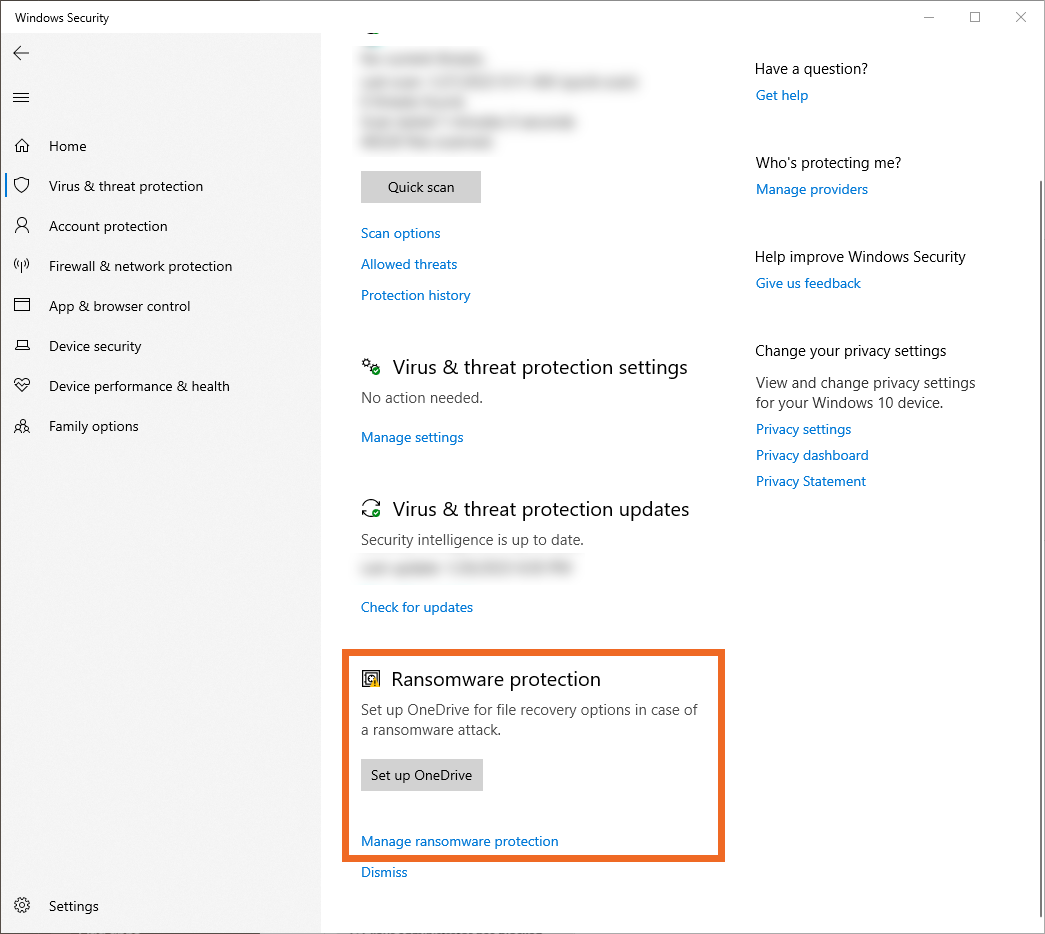
- Check whether Controlled folder access is set to On.
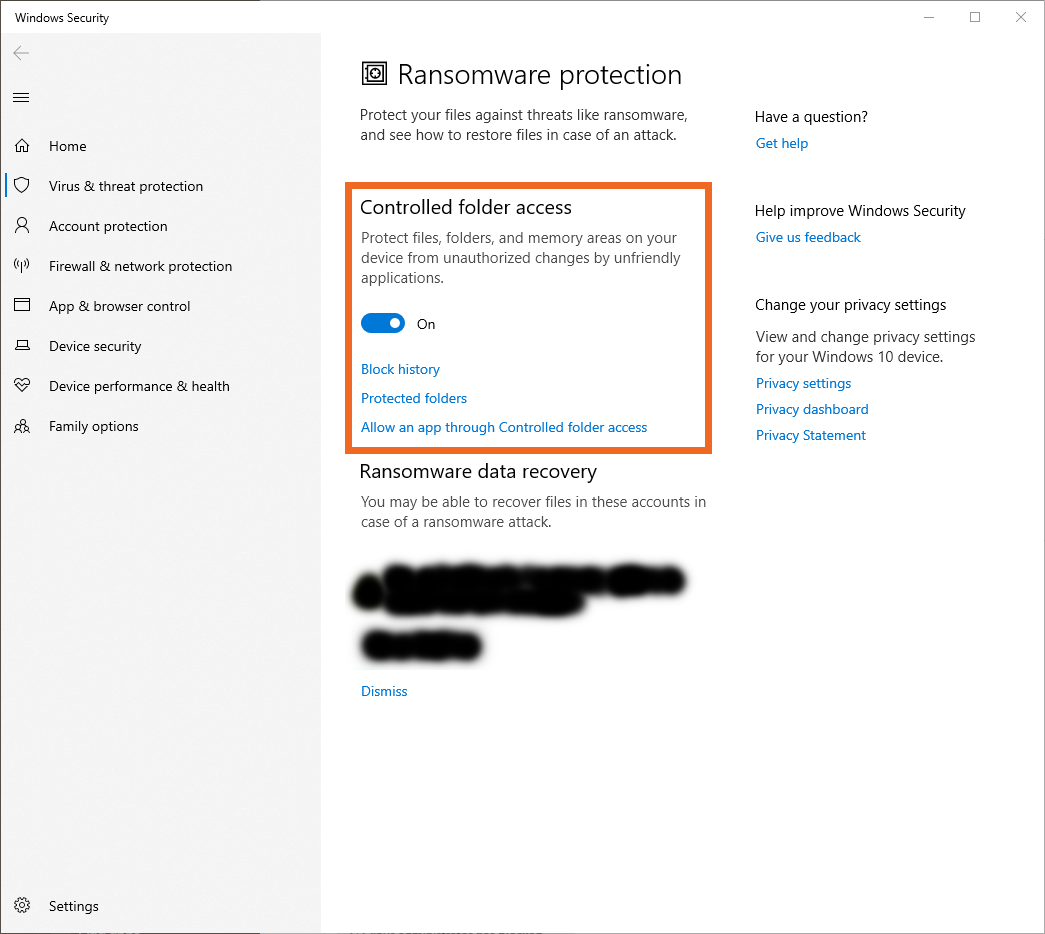
If Controlled folder access is already Off, this setting is not currently blocking AMP. Continue investigating another cause of the blank menu.
If your organization manages these settings and you cannot change them, ask your IT administrator to allow AMP through Controlled folder access.
Allow AMP Through Controlled Folder Access
- Leave Controlled folder access set to On.
- Select Allow an app through Controlled folder access.
- Select Add an allowed app.
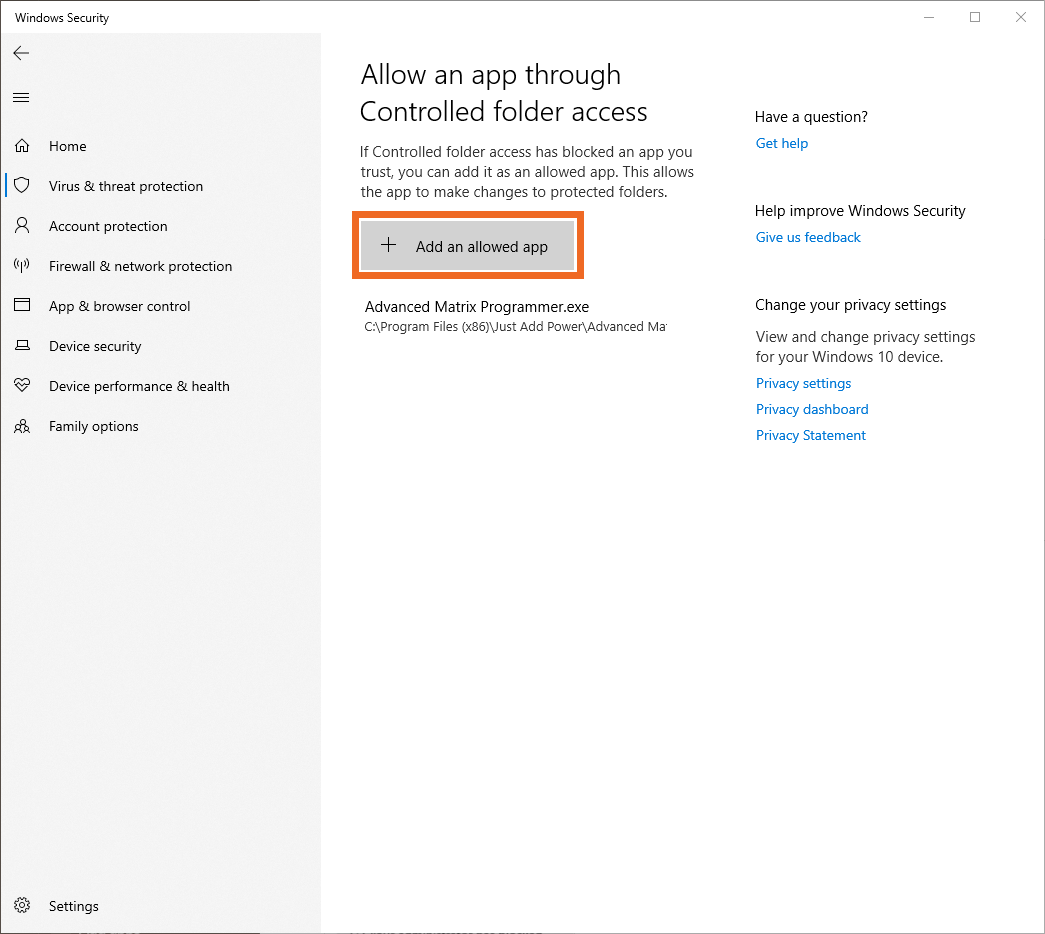
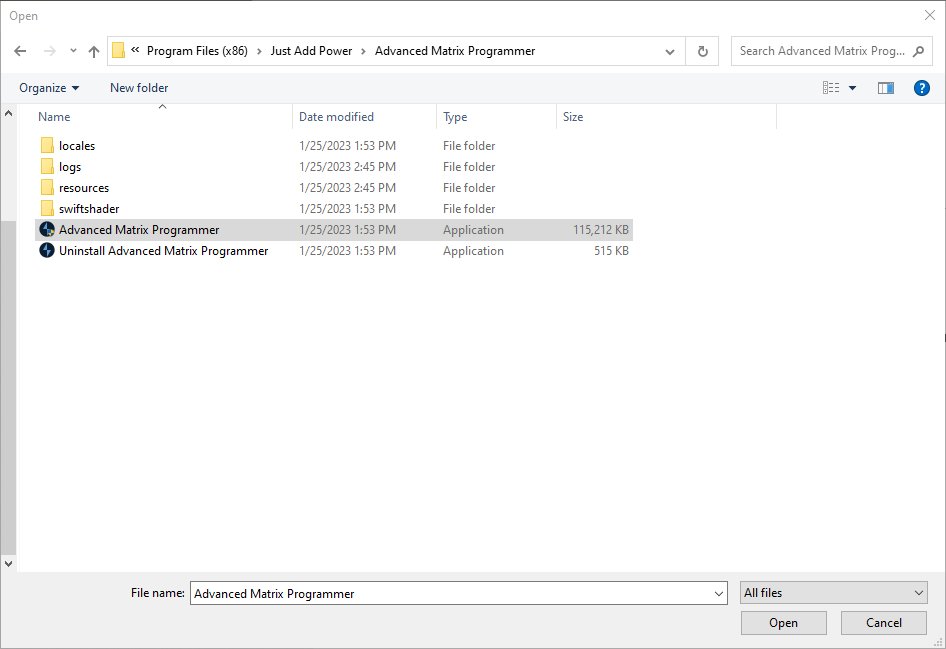
- Select Browse all apps, then locate and select the AMP executable you use to open the program.
- Confirm that AMP appears in the allowed apps list.
- Open AMP again and verify that the main menu loads and its buttons respond.
The executable name and location may differ from the screenshot. Select the copy of AMP you currently use.
Temporarily Disable Controlled Folder Access
If allowing AMP does not resolve the issue, temporarily disable Controlled folder access to check whether it is responsible.
Turning off Controlled folder access removes this protection from all protected folders. Use this only as a temporary test, then turn it back on.
- Close AMP.
- Return to Manage ransomware protection in Windows Security.
- Set Controlled folder access to Off.
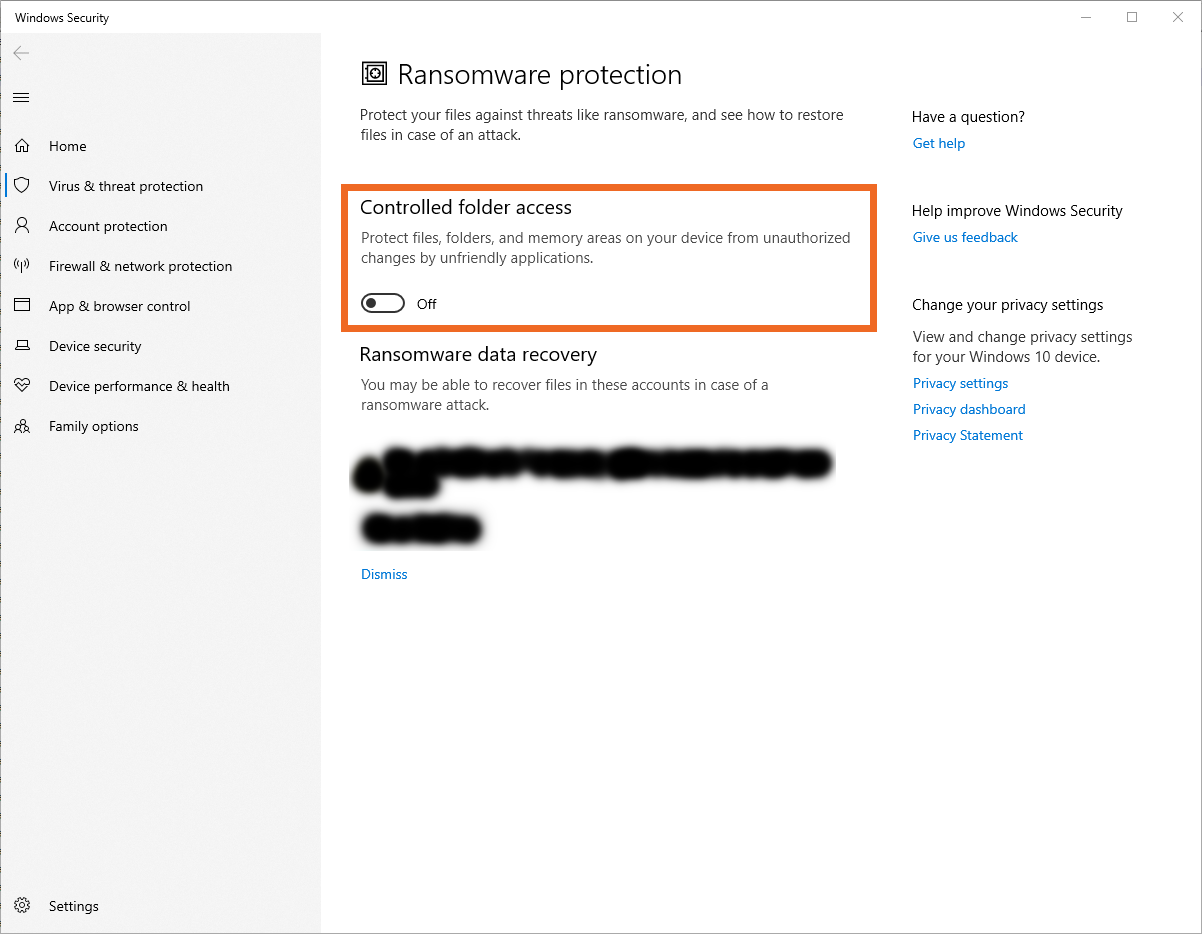
- Open AMP and check whether the main menu loads correctly.
- Close AMP and turn Controlled folder access back On.
- AMP works with the setting off: Confirm that the allowed apps entry matches the executable you are opening. If the issue continues, provide the test results to your IT administrator or Just Add Power Technical Support.
- AMP still opens with a blank menu: Controlled folder access may not be the cause. Contact Just Add Power Technical Support with your AMP version, a screenshot, and the results of these tests.

