




Overview
Startup settings on a Just Add Power device define how the unit behaves when it powers on. Any changes made to these settings are not applied immediately and will only take effect after the device is rebooted.
Many settings are intended for specific installation scenarios and should not be applied as global defaults across all systems. Use caution when modifying startup parameters, especially in live systems.
Access
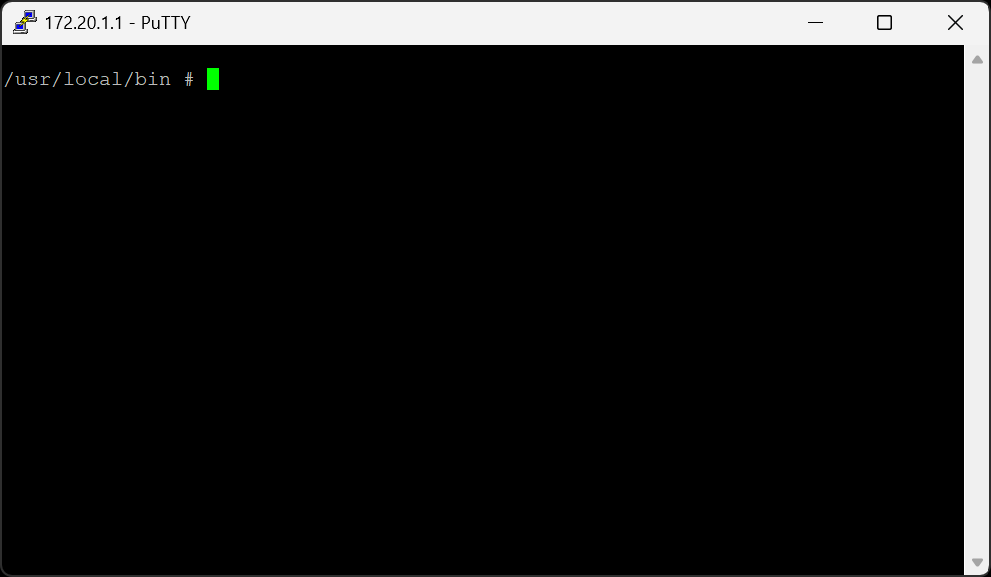
All startup settings are configured through the Command Line Interface (CLI), accessible using one of the following methods:
-
Telnet
Connect to the device IP address on port23 -
RS232
- White 3-pin Molex connector on the bottom of the unit
- Requires a Just Add Power debug cable
- Serial settings:
115200-8n1
All startup settings are case-sensitive.
Formatting
Get All Startup Settings
astparam dumpGet Individual Startup Setting
astparam g [parameter]Set Startup Setting
astparam s [parameter] [value]Save Startup Settings
astparam saveDelay 1 Second
sleep 1Reboot the Device
rebootErase a Setting
astparam s [parameter]Chaining Settings
Multiple commands may be chained together using semicolons (;) and executed as a
single line. After saving startup parameters, it is strongly recommended to insert a
sleep 1 delay before rebooting to ensure changes are written to permanent memory.
astparam s ip_mode static;astparam s ipaddr 10.0.0.2;astparam s netmask 255.0.0.0;astparam s gatewayip 10.0.0.2;astparam save;sleep 1;rebootSettings
Audio
Controls how audio services are handled on Encoders.
| Name | Parameter | Value(s) | Description | Applicable Units | Example |
|---|---|---|---|---|---|
| Encoder Audio Handling | |
0 | Default on non-AVP Encoders. Preserves the source audio sampling rate. | All Encoders | |
| 2 | Default on AVP Encoders. Converts audio to 48 kHz. | ||||
| 6 | Enables audio services without video present. Applies only to AVP Encoders. |
DHCP Server
Allows a Receiver to operate as a DHCP server for devices connected to the Just Add Power
network. IP addresses are assigned in the range x.x.x.200 – x.x.x.249.
| Name | Parameter | Value(s) | Description | Applicable Units | Example |
|---|---|---|---|---|---|
| DHCP Server | |
n | Default. DHCP server disabled. | All Receivers | |
| y | Enable DHCP server. |
Image Pull
Captures periodic still images from an Encoder or Decoder. Images are accessible to other devices on the network.
| Name | Parameter | Value(s) | Description | Applicable Units | Example |
|---|---|---|---|---|---|
| Image Pull | |
n | Default. Image Pull disabled. | All 2G Series devices | |
| $A_$B_$C | $A = Image resolution (160, 320, 640) | ||||
| $B = Priority (1 = lower priority than video) | |||||
| $C = Capture rate (0 = 10 fps, 1 = 1 fps) |
IP
Configures IPv4 addressing for Just Add Power devices.
| Name | Parameter | Value(s) | Description | Applicable Units | Example |
|---|---|---|---|---|---|
| Mode | |
autoip | Defaults to a 169.254.x.x address. | All 2G Series devices | |
| static | Uses a fixed IP address. Requires ipaddr, netmask, and gatewayip. | ||||
| dhcp | Requests an IP from a DHCP server. Reboots until one is available. | ||||
| IP Address | |
$A.$B.$C.$D | Static IP address for the device. | All 2G Series devices | |
| Subnet Mask | |
$A.$B.$C.$D | Subnet mask for static IP mode. | All 2G Series devices | |
| Default Gateway | |
$A.$B.$C.$D | Gateway address for static IP mode. | All 2G Series devices | |
Serial / RS232
Enables RS232 communication through the serial port on Just Add Power devices.
| Name | Parameter | Value(s) | Description | Applicable Units | Example |
|---|---|---|---|---|---|
| Set Baud Rate | |
$A-8n1 | $A = baud rate (default: 9600). | All 2G Series devices |
|
| Mode | Usage | Setting |
|---|---|---|
| Dumb Redirection | Serial input enters the Encoder and is output from every Decoder viewing that Encoder. | |
| Guest Mode | Two-way serial with feedback. Network connects to port 6752 on a specific device. | |
| CLI Access | One-way serial output via Telnet (port 23). No feedback. | |
USB
| Name | Parameter | Value(s) | Description | Applicable Units | Example |
|---|---|---|---|---|---|
| Touchscreen Enable | |
n | Default. Touchscreen disabled. Smoother mouse movement. | All 2G Series devices | |
| y | Touchscreen enabled. Mouse movement may be less smooth. |
Video
| Name | Parameter | Value(s) | Description | Applicable Units | Example |
|---|---|---|---|---|---|
| 1080i Handling | |
y | Default. Processes 1080i sources as 720p. | All 2G Series Encoders | |
| n | Processes 1080i sources as 1080p. | ||||
|
HDCP Handling Only one option may be enabled |
|
n | Default. Handles HDCP based on hardware capability. | All 2G Series Encoders | |
| y | Reports device as HDCP non-compliant. | ||||
|
n | Default. Uses normal HDCP behavior. | |
||
| y | Reports device as HDCP 1.4 compliant regardless of source. | ||||
| Disable HDMI Output on Video Loss | |
n | Default. Displays debug screen when video is lost. | All 2G Series Decoders | |
| y | Disables HDMI output after video loss. | ||||
|
$A | Delay in milliseconds before HDMI output is disabled. | All 2G Series Decoders | |
|
| Debug Text | |
y | Default. Shows text on debug screen. | All 2G Series Decoders | |
| n | Hides debug text. May hinder troubleshooting. |
Webname
Assigns a human-readable name to the device for identification purposes.
| Name | Parameter | Value(s) | Description | Applicable Units | Example |
|---|---|---|---|---|---|
| Webname | |
$A | Device name. Use quotes for multi-word names. | All 2G Series devices | |

